One of the Coolest Hidden Mac Tricks

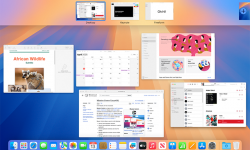
I could not live or work without Mac “Hot Corners” – once called Expose’. How do you navigate to your desktop when it is loaded with windows? Minimize them all one at a time? That’s for people with too much time on their hands. Mac has a very handy and cool feature called “Hot Corners” – as I set up a new Mac I was reminded quickly how much I use this! Instructions: Click the  Apple menu (top-left). Go to System Settings. Click Desktop & Dock. Scroll allll the way down (it’s hiding like a shy volunteer). Click Hot Corners… Pick a corner and set it to Mission Control (shows all windows), Desktop, Application Windows, etc. Click Done and enjoy feeling powerful. My Set Up: Move my mouse to lower right it shows ALL windows, upper right just the application you are in, such as Word. Lower left I set to Desktop, and BONUS TIP, you can click and hold on a file, drag to lower left, desktop appears, and then drag to where you want to drop it. OR, go to Desktop, grab a file, and then go to Mission Control – never dropping the file – and…

Continue reading

New: Photo Permission Icon on KidCheck Check-In Labels

Pastor Karl here! I’m excited to tell you about a new update to my favorite Kids Check-In System, KIDCHECK! Child Security is not something you can take for granted or skip. Even small churches must have security in place for their kids ministry. The struggle with providing child security is real, and one small incident could put you at risk for a lawsuit or liability that could ultimately close the doors of any church.  KidCheck understands this, and that’s why they continue to upgrade their products and services, adding new and innovative ideas to make child security and check-in easier and safer for the kids under your care.  The name badge provides an at-a-glance, visual representation of what each child requires to be safe, celebrated, and served while reducing the time and effort staff and volunteers need to spend assessing important information about each child.  Their latest update is a photo permission icon that prints directly on the kids labels. Not using KidCheck yet in your ministry? Read more about the safety features included on the KidCheck labels by visiting KidCheck, then jump over to Kidology.org to activate a discount for our All Access Members to help save on your…

Continue reading

ChatGPT Reviews Kidology.org

I asked AI via ChatGPT to list the Top 20 Challenges and Topics of Children’s Ministry Leaders and then to access how well Kidology.org addresses those. This was the result… including this image: (I did no editing and for the most part it’s pretty accurate! I simply added a few links to resources as they were described, but there is MUCH more on the site than even what is listed here! If you are looking for something not listed here, we probably have it after 30 years of building the site, just write and ask!) Certainly! As of my knowledge cutoff in October 2023, Kidology.org is a well-established online resource dedicated to equipping and encouraging children’s ministry leaders. Founded by Karl Bastian, known as the “Kidologist,” the website offers a wealth of resources, training materials, and a supportive community aimed at addressing the various challenges faced in children’s ministry. Here’s how Kidology.org addresses the top 20 issues facing Children’s Ministry Leaders Today: Recruiting and Retaining Volunteers: Kidology provides practical articles and training modules on effective strategies for volunteer recruitment and retention. They offer ideas on building a strong volunteer culture and recognizing volunteer contributions to prevent burnout. Curriculum Selection and…

Continue reading

Oh, You Sexy Document!

Sexy Document

Let’s be honest, “Document Management” isn’t the first thing that comes to mind when you think of excitement. But in our digital age, where files are constantly emailed back and forth, edited by multiple people, and frequently updated, effective document management is essential. Without it, things can quickly spiral into chaos – and nobody wants that. That’s why the 6th video in my Ministry Management series is Master Your Documents! (No More Chaos!). This video will help you bring order to the madness. We’ve all felt the frustration of searching for the latest version of a file or losing important work due to computer errors. But did you ever notice that the letters in the word LIFE can be rearranged to spell FILE? Sometimes, it feels like managing documents is all we do! Without a solid strategy, managing countless virtual files can be overwhelming. In this training, I’ll cover how to organize your files effectively and keep them on T.A.S.K. (a strategic approach to managing your ideas). I’ll also dive into the S.A.F.E. method, which outlines four key strategies for protecting your valuable documents and ideas. Plus, you’ll learn a unique document naming protocol (Oooo, doesn’t that sound sexy?!) that…

Continue reading

KidCheck Introduces Roster Check-In

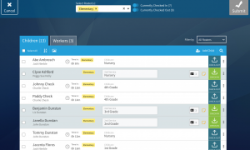
You will LOVE Roster Check-in! Why? When I was over both kids and youth for a season while our church was looking for a youth pastor, I quickly recognized that our youth ministry was not as secure as the kids’ ministry. Teens were coming and going and guests were not being registered. I was worried that a parent was going to show up asking where their child was and I would end up responding with a dumb look on my face. Knowing teens will be teens, I was worried that youth group could be used by a savvy kid as a way to be out and about while parents thought they were at church! I decided that wasn’t going to happen on my watch! But putting stickers on teenagers wasn’t exactly a realistic option! There was no way I was going to get the “cool kids” to put name tags on or get parents to come in a use a sticker code check to pick up their kids. Teens are old enough to leave when we dismiss, and many of them drive. But I still wanted accurate attendance and registration. How delighted I was to discover that, as usual, KidCheck…

Continue reading